

Do You Need a POS System or Card Machine for a Loyalty Program?
Learn how to run a digital loyalty program without a POS system, card machine, payment integration, or dedicated loyalty hardware.
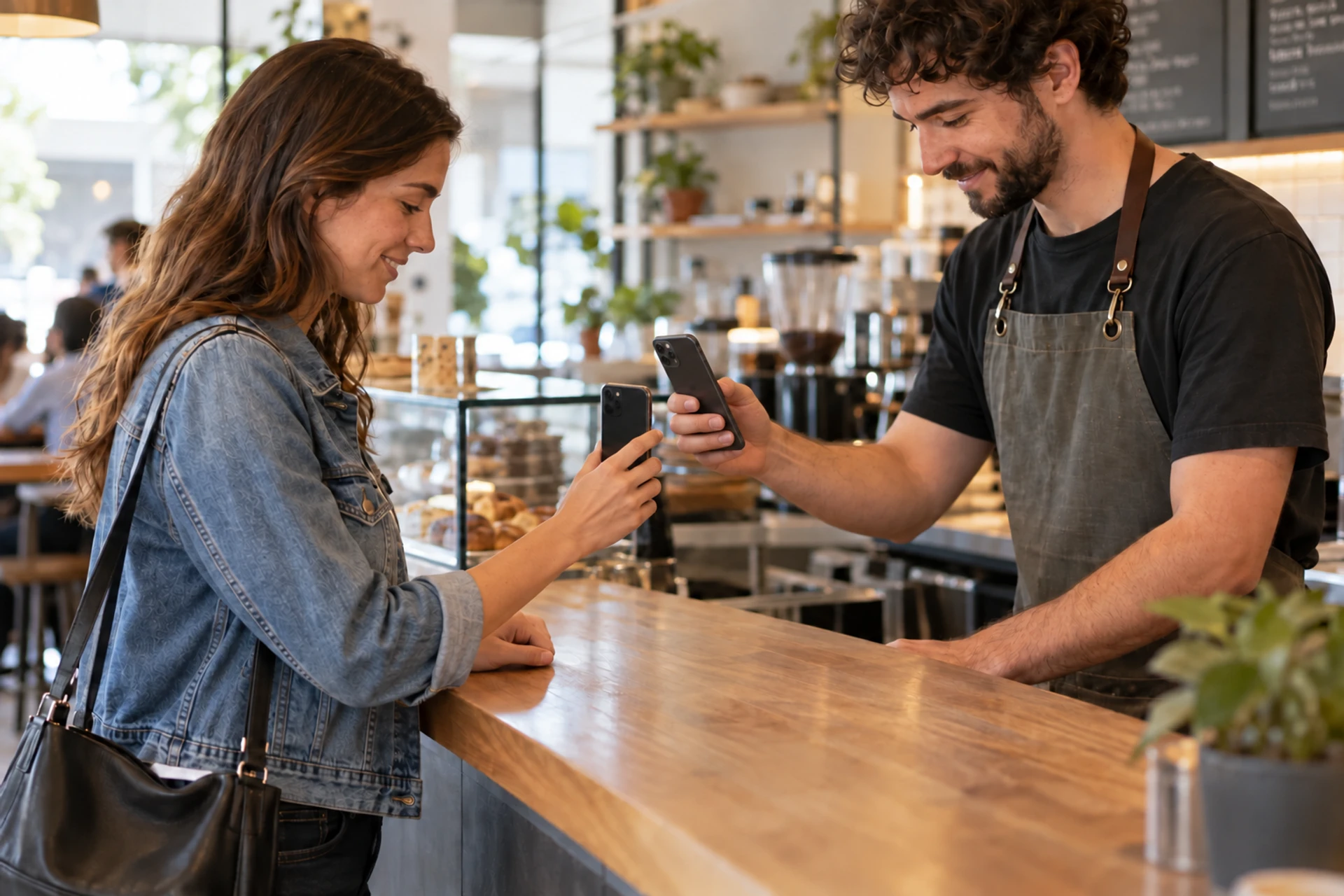
Starting a loyalty program does not have to mean buying new equipment or changing your checkout. Whether you are starting from scratch or already have a setup you like, you have options.
Can You Run a Loyalty Program Without a POS or Card Machine?
Yes. You can run a digital loyalty program without a POS system, card machine, or connection to your payment provider.
With Loopy Loyalty, customers save a stamp card to Apple Wallet or Google Wallet. After checking that a purchase or visit qualifies, staff use the Loopy Loyalty Stamper App on a phone or tablet to issue a stamp. Customers can pay by cash, card, or another method.
You still need a staff device and an internet connection for the normal stamping workflow, but you do not need a dedicated loyalty scanner, new payment terminal, or POS integration.
What Does “No POS System Required” Mean?
A point-of-sale (POS) system, card machine, and loyalty platform perform different jobs. They may work together, but they do not have to be connected.
| System | What it does | Required for standalone loyalty? |
|---|---|---|
| POS system, till, or register | Records sales and manages the checkout workflow | No |
| Card machine or card reader | Processes card and contactless payments | No |
| Digital loyalty platform | Identifies customers and tracks visits, stamps, and reward redemption | Yes, for a digital program |
| Staff phone or tablet | Scans customer cards and records loyalty activity | Yes, for Loopy Loyalty’s in-person workflow |
A loyalty program built into a card machine is a different setup. If you want the terminal itself to identify customers or award stamps automatically, you need a loyalty solution that supports a connection to it. Some providers offer a loyalty app for payment terminals; the standalone approach in this guide uses a separate staff device instead.
This distinction matters because a card machine is not automatically a loyalty system. A business may use a portable card reader only for payments, a full POS for sales and stock, or no checkout hardware at all. None of those choices prevents it from running a separate loyalty program.
There are three common situations:
- You do not have a POS. You might accept cash, use a basic card reader, invoice customers, or take payment after completing a service. Staff can still issue stamps after confirming an eligible purchase or visit.
- You already have a POS you want to keep. Your current checkout process can continue normally. There is no need to replace the system or install Loopy Loyalty on it.
- Your POS includes loyalty features you do not want to use. You can choose an independent loyalty platform instead, provided a separate staff scan suits your operation.
How Does Loyalty Work Without Connecting to Checkout?
Consider a coffee shop that uses a card reader and wants to offer a simple reward: buy five qualifying coffees and receive the sixth free.
Here is what happens during an ordinary customer visit.
1. The Customer Joins on Their Phone
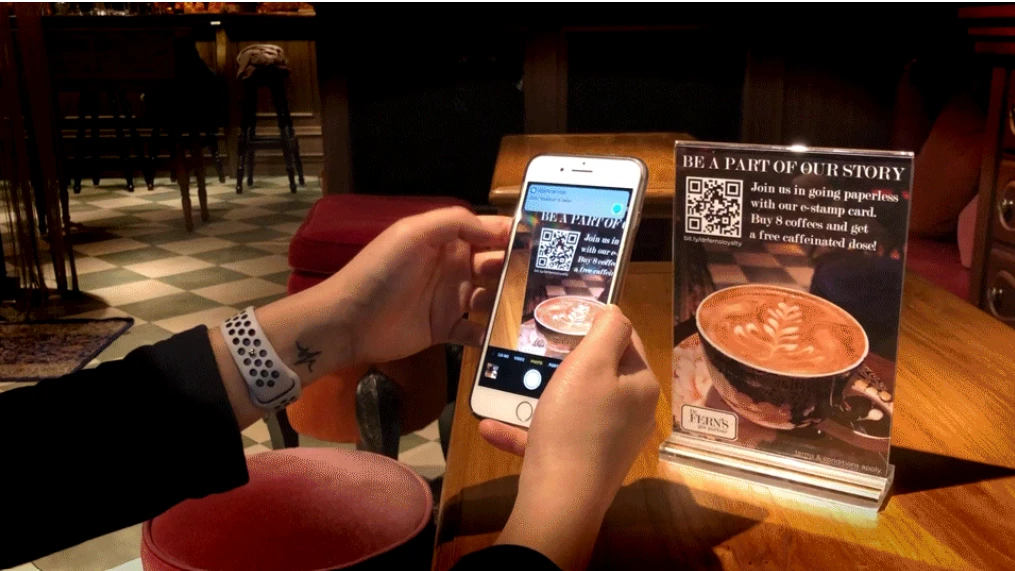
The coffee shop displays a QR code on a counter sign, menu, receipt, or website. The customer scans it, completes the enrollment form, and follows the instructions to save the loyalty card to Apple Wallet or Google Wallet.
Loopy Loyalty provides an enrollment link and QR code for each campaign. Customers do not need to download a separate Loopy Loyalty customer app or register through the payment terminal.
The enrollment QR code is used to join the program. Once enrolled, the customer presents the unique code on their own digital card when earning stamps or claiming a reward.
2. The Customer Pays as Usual
The customer orders and pays as usual. The employee checks that the drink qualifies for a stamp under the program’s rules. For example, if the program awards one stamp per qualifying coffee, staff check that the customer bought an eligible drink.
3. Staff Scan the Card and Add a Stamp
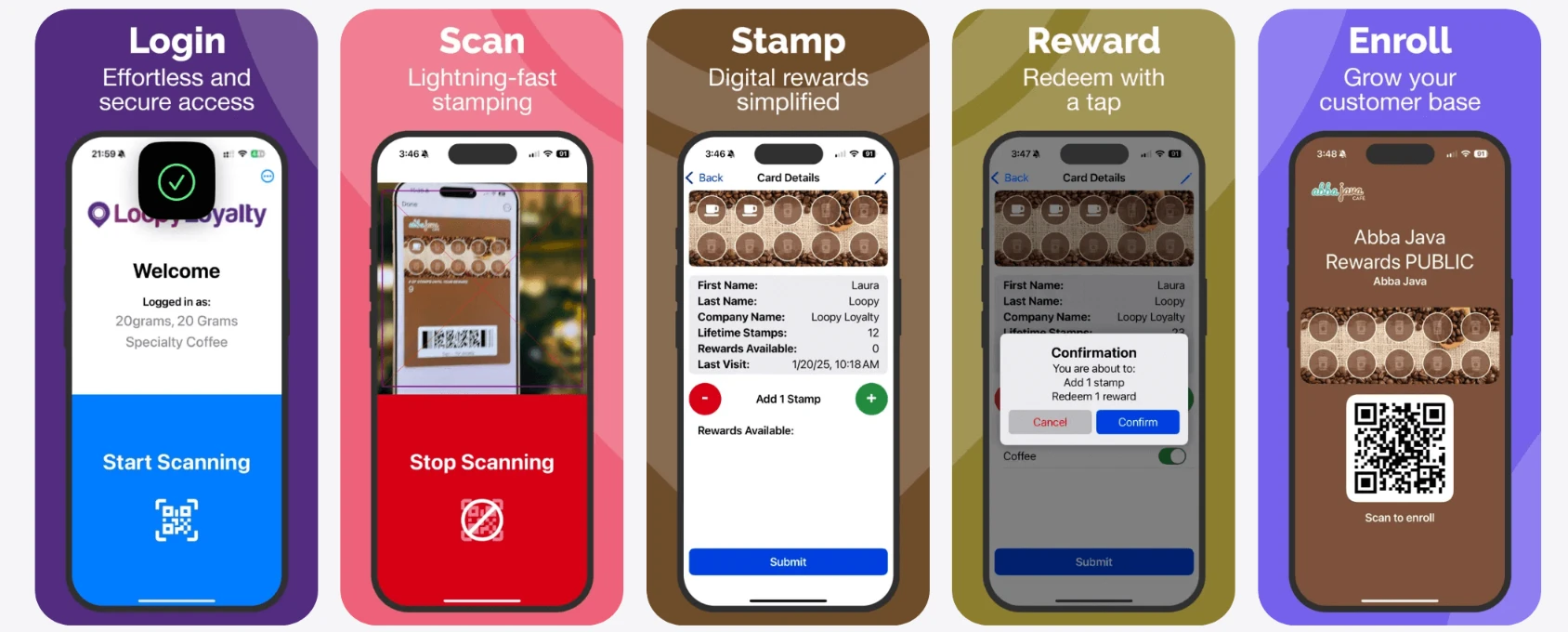
The customer opens the loyalty card in Apple Wallet or Google Wallet. A staff member then:
- Opens the Stamper App on an authorized phone or tablet.
- Scans the code shown on the customer’s card.
- Selects the appropriate stamp action.
- Confirms the loyalty transaction.
The new stamp is recorded in Loopy Loyalty and reflected on the customer’s card.
4. The Customer Redeems the Reward
After the customer’s fifth qualifying coffee and fifth stamp, the free-coffee reward becomes available. Staff scan the card and confirm the redemption.
The business then provides the free item, discount, or other benefit through its normal checkout process. If the reward is a free coffee, for example, the cashier applies that through the register or follows the shop’s usual process for complimentary items.
Loopy Loyalty records the redemption, while the payment or POS system handles any associated price adjustment.
What Do You Need to Start?
You need four things to run a standalone customer loyalty program.
A Clear Earning and Reward Rule
Decide exactly what earns a stamp and what the customer receives after collecting enough of them.
Simple rules are easiest for staff to apply consistently, such as:
- One stamp per qualifying coffee.
- One stamp per completed haircut.
- One stamp per grooming appointment.
- One stamp per eligible store purchase.
Visit-based or item-based stamp rules usually work well without an integration because an employee can verify them at a glance. A program that awards different numbers of stamps based on transaction value may require more manual calculation and be better suited to an automated setup.
A Digital Stamp Card
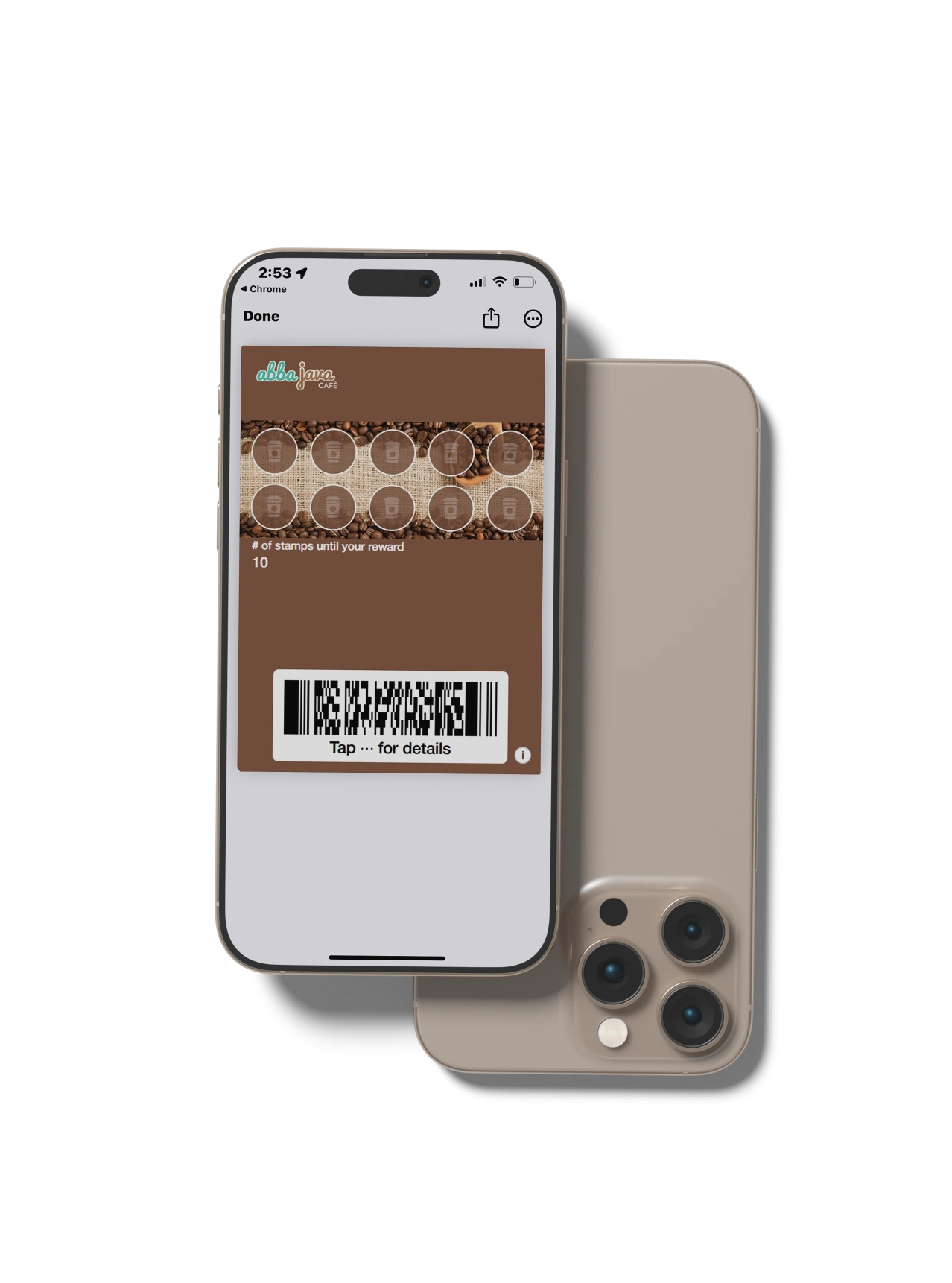
You need a campaign containing your card design, earning rule, and reward.
For help with the setup, follow our guide to creating a digital stamp card.
A Way for Customers to Join
Place your enrollment QR code or link wherever customers are most likely to see it. Useful locations include:
- At the counter or reception desk.
- On a menu, table sign, or poster.
- On your website and social media profiles.
- On receipts or appointment messages.
Customers use the link to enroll and save their card. Staff do not have to create each loyalty member inside the POS.
A Staff Phone or Tablet
Employees use the Stamper App on a compatible iOS or Android device to issue stamps and redeem rewards. You may be able to use a phone or tablet the business already owns instead of buying a dedicated scanner.
Employees can share a compatible phone or tablet at the counter instead of requiring separate devices. Where individual accountability is needed, staff should use their own logins.
The device needs an authorized staff account and a reliable internet connection for the normal in-person workflow. Standalone loyalty software also has its own subscription cost, separate from any payment provider. “No expensive hardware” should not be confused with “no equipment or cost at all.”
What Happens If the Stamper App Loses Internet?
The Stamper App requires an internet connection and does not queue stamps or redemptions to sync later.
If the connection fails, staff should reconnect, check whether the transaction was recorded, and retry if necessary.
For mobile businesses, food trucks, and market stalls, reliable Wi-Fi or mobile-data coverage is particularly important. Test the connection wherever staff will scan cards before launching.
What Hardware Can You Avoid With Standalone Loyalty?
A standalone stamp program lets you introduce loyalty without buying or replacing checkout equipment.
That means you do not need:
- A new POS system, till, or register.
- A second card machine or payment terminal.
- A dedicated barcode scanner or NFC reader for loyalty cards.
- A printer for plastic or paper stamp cards.
- A customer check-in kiosk beside the counter.
If you already have a compatible staff phone or tablet and internet access, you may not need to buy any additional equipment. Customers present their cards on their own compatible phones.
Which Businesses Are a Good Fit?
Standalone loyalty works best when staff can quickly confirm an eligible activity and add a scan without disrupting service.
It can be a good fit for:
- Coffee shops and food trucks rewarding a specific drink, meal, or visit.
- Barbershops, salons, and groomers issuing a stamp after a completed appointment.
- Independent retailers rewarding clearly defined purchases.
- Fitness instructors and other service businesses recording completed sessions.
- Market stalls and mobile businesses that use cash or portable payment equipment.
The industry matters less than the workflow. A salon completing a manageable number of appointments can make stamping part of checkout or reception. A busy retailer processing hundreds of rapid transactions may find a separate scan less practical.
Before choosing a standalone program, ask whether staff can answer three questions without slowing down:
- Does this purchase or visit qualify?
- When should the card be scanned?
- How should the reward be applied?
If those answers are straightforward, a separate loyalty process can be easy to operate.
Standalone or POS-Integrated Loyalty: Which Is Better?
Neither approach is automatically better. The right choice depends on how much automation your business needs.
| Your priority | More suitable starting point |
|---|---|
| Rewarding visits or clearly defined purchases | Standalone loyalty |
| Working with cash, a basic card reader, or no POS | Standalone loyalty |
| Keeping your existing checkout unchanged | Standalone loyalty |
| Awarding stamps automatically from transaction data | POS-integrated loyalty, where supported |
| Processing loyalty automatically at high transaction volume | POS-integrated loyalty, where supported |
The main trade-off is staff involvement. A high-volume retailer offering rewards based on specific products or transaction value may prefer POS-integrated loyalty: manually checking every transaction and calculating rewards could slow checkout and become impractical.
For many small businesses with simple earning rules, the extra staff action is a reasonable exchange for a faster, more flexible setup.
If automatic checkout activity is your priority, our guide to cost-effective POS-linked loyalty programs for cafes explains the integrated approach. You do not need to introduce that complexity solely because your business happens to own a POS system.
What Does Standalone Loyalty Not Receive From Your Card Machine?
Without a connection to checkout, the card machine does not automatically tell Loopy Loyalty what the customer bought, how much they paid, or whether a payment was refunded. Staff check that the purchase or visit qualifies and record the stamp separately.
If a customer returns an item or receives a stamp by mistake, the payment terminal will not automatically reverse the loyalty action. Authorized staff can remove stamps in the Stamper App within its available limits, so establish a clear process for corrections and reward disputes. For example, the iOS app only allows staff to remove stamps earned since the last reward redemption.
How Do You Make Manual Stamping Easy for Staff?
The technology is only one part of a successful standalone program. Staff also need a short, repeatable routine.
Define Exactly What Qualifies
Avoid rules that require employees to make judgment calls while customers wait. If some products, services, or transactions are excluded, document those exceptions before launch.
Choose One Point in the Customer Journey
Decide when staff should scan the card: immediately after payment, when an appointment finishes, at reception, or when an order is handed over. A consistent moment makes missed stamps less likely.
Explain Reward Redemption Separately
Redeeming a reward in an unconnected loyalty platform does not change the amount charged by the POS. Staff must confirm the loyalty redemption and apply the corresponding free item or discount through the normal checkout process.
How Can You Control Which Staff Issue Stamps?
Loopy Loyalty supports individual staff logins, allowing businesses to track which account issued stamps or redeemed rewards. Account owners can deactivate employee access when necessary, helping maintain control over loyalty activity.
Before launching, train employees to scan cards, issue stamps, redeem rewards, and follow the business’s process for correcting mistakes or handling disputes. Staff must still verify that purchases qualify before awarding stamps.
Frequently Asked Questions
These answers cover common questions about payments, customer devices, and keeping your existing checkout when using standalone loyalty.
Can I Run a Loyalty Program if I Only Accept Cash?
Yes. A cash-only business can run a digital loyalty program without a card machine or POS system. Staff confirm that the purchase qualifies before issuing a stamp through the Loopy Loyalty Stamper App.
Can I Keep My Existing Square, Clover, or Other Payment System?
Yes. You can keep using Square, Clover, or another payment system while managing loyalty separately with Loopy Loyalty. This standalone workflow does not require a connection to your payment provider.
Can My Card Machine Scan Loyalty Cards?
That depends on the terminal and its supported software. With Loopy Loyalty’s standalone workflow, staff scan the customer’s card using the Stamper App on a compatible phone or tablet, so the payment terminal does not need loyalty-scanning functionality.
Do Customers Need to Download an App?
Customers do not need a separate Loopy Loyalty customer app. They join through an enrollment link or QR code and save their digital stamp card to Apple Wallet or Google Wallet on a compatible phone. Staff use the Stamper App to manage stamps and rewards.
Are Loyalty Stamps Added Automatically After a Card Payment?
No. In Loopy Loyalty’s standalone workflow, staff verify the qualifying purchase and issue the stamp. Automatic awarding based on payment or transaction data requires a supported integration or automation.
What Happens if I Change My POS System or Payment Provider?
Your customer cards, stamps, and reward records remain managed in Loopy Loyalty. Keeping the same loyalty account and campaign means changing your checkout provider does not, by itself, require rebuilding the program or asking customers to enroll again.
Start Loyalty Without Replacing Your Checkout
A clear reward, an easy enrollment method, and a consistent moment for staff to scan each card can help you launch a straightforward loyalty program with your existing checkout setup.
Try Loopy Loyalty free for 15 days to see whether a standalone digital stamp card fits your business.
Keep reading
Related articles
How to Create a Digital Stamp Card in Minutes: A Quick Guide
Learn practical loyalty-program ideas, setup steps, and digital stamp-card examples for How to Create a Digital Stamp Card in Minutes: A Quick Guide.

Cost-Effective POS-Linked Loyalty Programs for Cafes
Compare POS-linked loyalty options for cafés by weighing costs, integrations, customer data, setup, and repeat-visit rewards.

Virtual Punch Cards: What They Are and How to Use Them
Learn loyalty-program guidance for Virtual Punch Cards: What They Are and How to Use Them.