

Create a Loyalty Card in Apple Wallet: Custom Pass vs Digital Stamp Card
Can a customer create a loyalty card in Apple Wallet? Learn how a self-created pass differs from a business-issued digital stamp card.
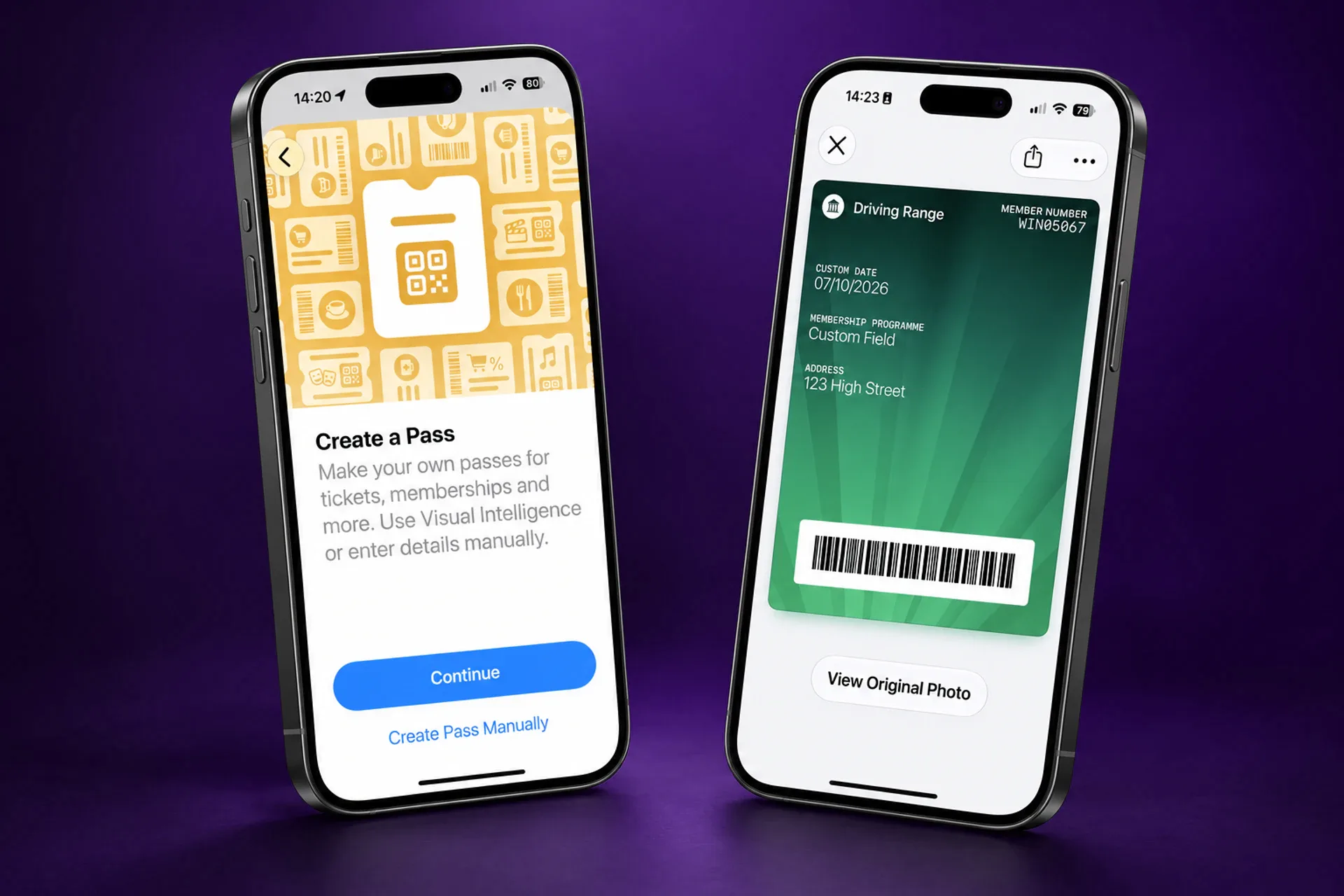
Can You Create a Loyalty Card in Apple Wallet?
Yes. Apple Wallet’s Create a Pass feature lets customers digitise an existing loyalty card, barcode, or QR code using the card itself, a photo or screenshot, or manual entry. That is useful when a customer has a café, gym, or shop card but no official digital version.
For a customer, that is a handy convenience. For a business running a loyalty programme, it is not the same thing as issuing an official digital stamp card.
A customer-created pass is a copy of information they already have. A business-issued digital stamp card is part of the programme itself: the business issues it, customers collect stamps, rewards can be earned and redeemed, and the card can change as the customer progresses.
That distinction matters whether you run a coffee shop, restaurant, salon, independent retailer, or another repeat-visit business. A card that looks like it is in Wallet is not automatically a loyalty programme.
What Is Apple Wallet’s Create a Pass Feature?
Apple’s Create a Pass guidance explains that people can make a pass from a physical card, photo, or screenshot containing a barcode or QR code. They can also choose a template in Wallet and enter the details themselves.
That makes sense for a static card a business has not made available digitally. For example, a customer may want to keep a printed membership barcode in Wallet instead of carrying it in a purse or wallet.
Apple does not present this as a replacement for a business operating its own loyalty programme. The person creates and edits their own copy. The original business does not automatically gain a way to update that copy, show the customer’s latest stamp balance, or send a reward through it.
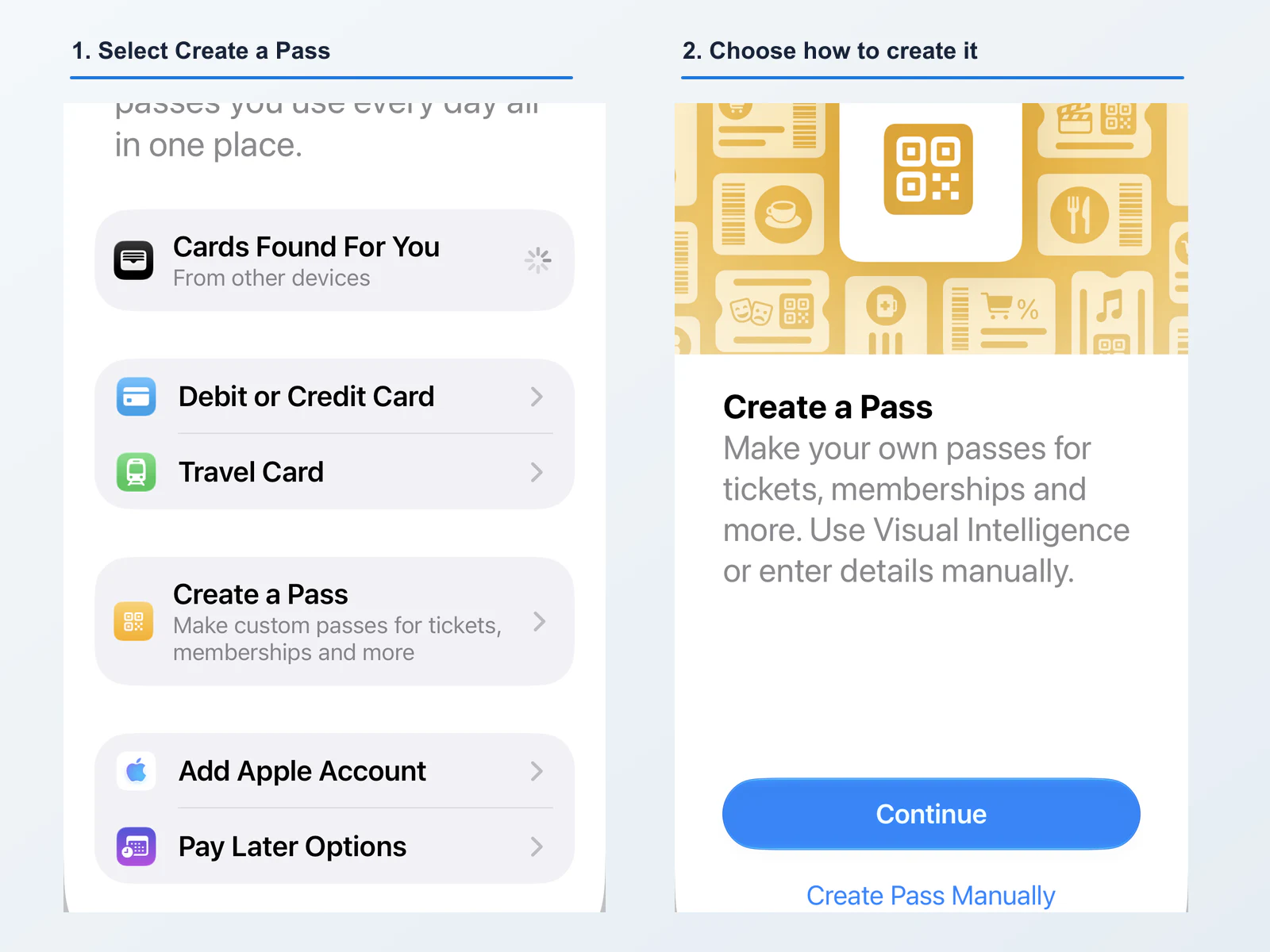
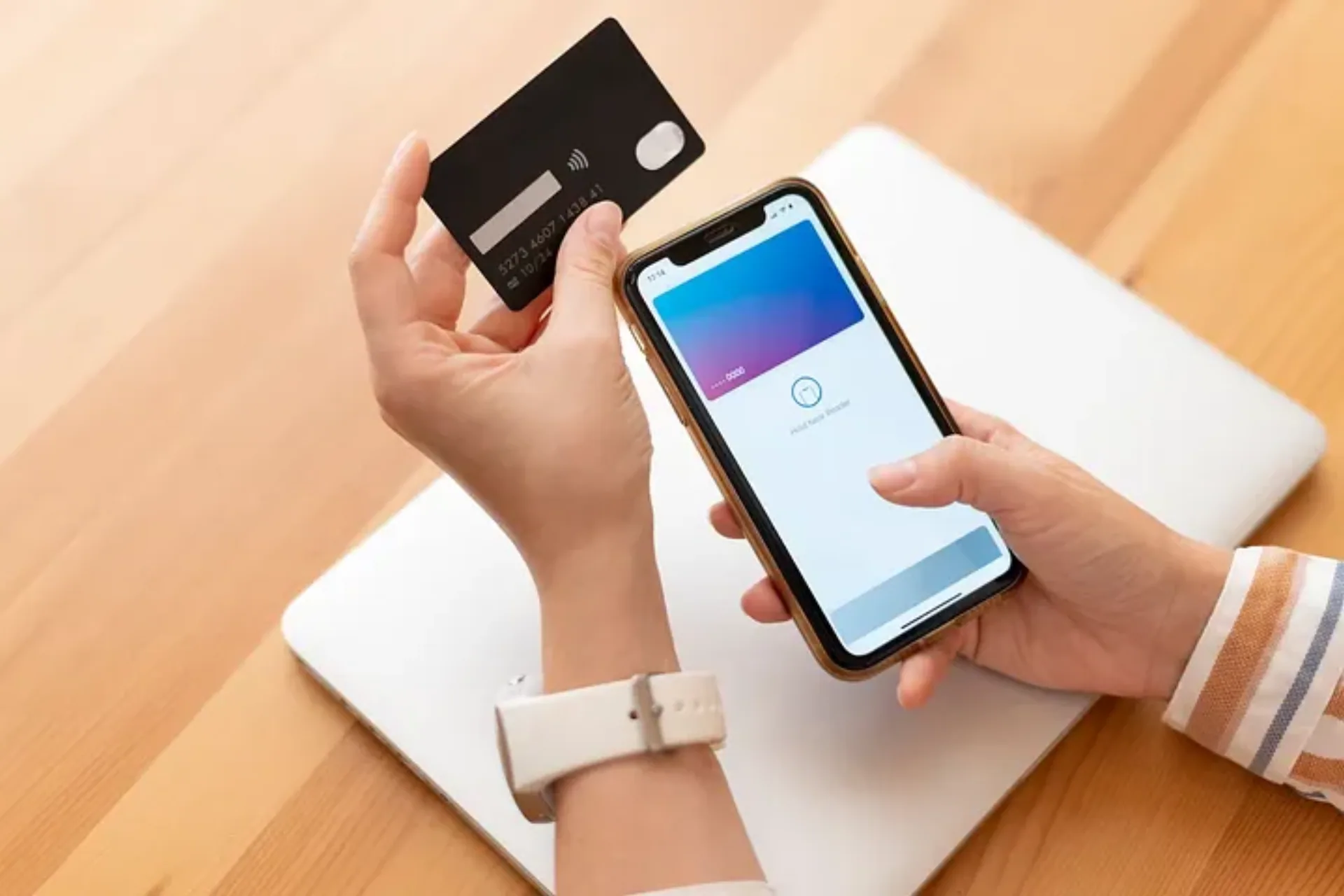
Apple Wallet’s Create a Pass flow is useful for saving a customer’s own copy of a static card or code.
What Happens When a Customer Creates Their Own Loyalty Card?
Suppose a customer photographs a paper coffee card or takes a screenshot of a barcode from an old email. Their new Wallet pass may make that barcode easier to find. If your staff and systems accept that code, it may still be useful at the counter.
But the pass is still a customer-maintained copy. It does not create a managed relationship between the café and the card on the customer’s phone.
That becomes important after the first visit. If the customer earns a sixth coffee stamp, changes their phone, reaches a reward, or your business updates the programme, a self-created pass does not receive those programme changes from you. The customer may still have an old barcode or a static note in Wallet, but they do not have a live view of the loyalty card you run.
The same applies to a salon that wants to encourage a client to book again after several weeks, or a restaurant that wants to remind regulars about a reward. A screenshot or copied barcode can be convenient information. It cannot by itself manage stamps, rewards, or customer communication.
Customer-Created Pass vs Business-Issued Digital Stamp Card
| Customer-created Apple Wallet pass | Business-issued digital stamp card | |
|---|---|---|
| Created by | The customer, from a card, photo, screenshot, or manual entry | The business as part of its loyalty programme |
| Card progress | A customer-maintained copy; it does not receive programme updates | Changes as the customer earns stamps and reaches rewards |
| Rewards | No official reward state on the copied pass | Rewards can be earned and redeemed through the programme |
| Updates | The customer edits their own pass | The business manages card details, programme rules, and progress |
| Messaging | No issuer-managed communication channel | The business can send Wallet messages and offers to enrolled customers |
| Platforms | Apple Wallet | Apple Wallet and Google Wallet |
| App required | No | No |
| Best for | Digitising a static card where no official pass exists | Running an ongoing stamp or repeat-visit loyalty programme |
This is not a criticism of Create a Pass. It solves a customer convenience problem well. An official digital stamp card solves a business and customer relationship problem.
Why an Official Digital Stamp Card Is Different
An official digital stamp card gives the business a way to operate the programme after the card has been saved.
For a coffee shop, that means the customer can see progress toward a free drink after each qualifying purchase. For a restaurant, it can mean a reward is ready to redeem after a set number of visits. For a hair or beauty business, it can mean a reminder or offer reaches clients when it is time to return.
With Loopy Loyalty customer enrollment, customers can join from a QR code or link and save the card directly to their phone. Staff can then add stamps and redeem rewards through the programme, rather than asking customers to maintain their own copy of a barcode.
The business also keeps control of the practical parts of the programme. You can change a reward, update the card, and manage customer activity from the dashboard. If a customer’s stamp balance changes, their business-issued card can reflect that progress instead of remaining a static snapshot.
How Digital Stamps and Rewards Work
The simplest programme starts with one clear earning rule and one clear reward. A café might give one stamp for each coffee, then reward the tenth purchase. A restaurant might reward five lunch visits. A salon might offer a bonus after a set number of appointments or qualifying product purchases.
When a customer joins your programme, they save your official card to Apple Wallet or Google Wallet. At each qualifying visit, a member of staff adds a stamp. When the card reaches its reward, the business redeems it through the programme.
That is different from putting a barcode in Wallet. The barcode may be only one part of a loyalty programme. The programme also needs to know what the customer has earned, whether the reward is available, and what happens after it is redeemed.
For practical setup ideas, see how to create a digital stamp card and our guide to customer loyalty punch cards for Apple and Google Wallet.
Do Customers Need to Download an App?
No. A business does not need to build a customer app, and customers do not need to install a dedicated loyalty app to use an official digital stamp card.
Customers can join from a link or QR code and save the card straight to Apple Wallet or Google Wallet. That is useful for a small business because it keeps enrollment simple: a customer can join while they are at the counter, then find the card again on their phone at their next visit.
An app may still be useful for businesses that also need ordering, bookings, or other account features. It is not a prerequisite for a no-app loyalty programme.
Apple Wallet and Google Wallet Loyalty Cards
A loyalty programme should not be designed only for iPhone users. Your regular customers may use different phones, and the programme should work for both groups.
Loopy Loyalty provides official digital stamp cards in Apple Wallet and Google Wallet. That means a café can offer the same basic join-and-collect experience to an iPhone customer and an Android customer, without making either person download a dedicated app.
It also gives the business a useful communication channel. Through Loopy Loyalty Messaging, businesses can send offers and updates to enrolled customers’ Wallet cards. Apple Wallet and Google Wallet present those messages differently, but both support the relationship that a customer-created Apple Wallet pass does not establish.
When Is Apple’s Create a Pass Perfectly Adequate?
Create a Pass can be a good answer when a customer only needs to carry a simple, fixed card and the business does not offer an official digital version.
Examples include a one-off local membership card, a static barcode that the business is happy to accept, or a reference card with information the customer wants to keep handy. In those cases, a customer-created pass can remove the inconvenience of carrying paper.
This can also be useful feedback. If customers are regularly taking photos of your loyalty card or asking how to add it to Wallet, they are telling you that easy access matters to them.
When Should a Business Provide Its Own Digital Loyalty Card?
Provide an official card when the programme needs to do more than display a fixed code. That includes collecting stamps, showing progress, handling redemptions, changing a reward, or communicating with customers after they leave the shop.
It is particularly useful for repeat-visit businesses such as cafés and coffee shops, restaurants, and hair and beauty salons. Each depends on giving customers a clear reason to return, not simply giving them another place to store a barcode.
How to Create a Digital Stamp Card for Your Business
- Choose the behaviour you want to reward. Decide what earns a stamp, such as a coffee purchase, restaurant visit, appointment, or product purchase.
- Set a reward that customers understand. Make it clear how many stamps are needed and what the customer receives.
- Create and brand the card. Add your business name, visual style, and reward details in Loopy Loyalty.
- Share a join link or QR code. Customers save the official card directly to Apple Wallet or Google Wallet.
- Train staff on stamps and redemptions. A simple counter routine makes the programme consistent.
- Keep customers interested. Use a timely offer or reminder when it supports the programme, rather than leaving the card as a static record.
If you are running a café, restaurant, salon, or another repeat-visit business, you do not need to build an app to offer customers a digital loyalty card. Start with Loopy Loyalty to create a digital stamp card customers can save directly to Apple Wallet or Google Wallet.
FAQs About Apple Wallet Loyalty Cards
Can a customer create a loyalty card in Apple Wallet?
Yes. Apple Wallet lets people create a pass from a physical card, photo, screenshot, or manual entry. This is useful for a static card where no official digital pass exists.
Is a customer-created Apple Wallet pass the same as a digital stamp card?
No. A customer-created pass is a copy managed by the customer. A business-issued digital stamp card is part of the loyalty programme, so the business can manage stamps, rewards, card updates, and Wallet communication.
Can an Apple Wallet stamp card show changing stamps?
An official business-issued digital stamp card can show progress as the customer earns stamps and reaches rewards. A pass the customer creates themselves does not automatically receive programme updates from the business.
Do customers need an app for a digital loyalty card?
No. With Loopy Loyalty, customers can join from a link or QR code and save the card directly to Apple Wallet or Google Wallet without downloading a dedicated loyalty app.
Can a small business use Apple Wallet and Google Wallet for loyalty?
Yes. A small business can provide a digital stamp card in both Apple Wallet and Google Wallet, so customers can join and collect rewards on iPhone or Android.
Does Google Wallet have Apple’s Create a Pass feature?
This article only describes Apple Wallet’s Create a Pass feature. A business can still provide an official Loopy Loyalty stamp card in Google Wallet for Android customers.
Keep reading
Related articles
How to Create a Digital Stamp Card in Minutes: A Quick Guide
Learn practical loyalty-program ideas, setup steps, and digital stamp-card examples for How to Create a Digital Stamp Card in Minutes: A Quick Guide.
How to Create Customer Loyalty Punch Card for Apple and Google Wallet
Learn practical loyalty-program guidance and digital stamp-card ideas for How to Create Customer Loyalty Punch Card for Apple and Google Wallet.
How Mobile Wallet Marketing Helps You Boost Your Loyalty Program
Learn practical loyalty-program guidance and digital stamp-card ideas for How Mobile Wallet Marketing Helps You Boost Your Loyalty Program.